Smart enrollment & Data collection, reimagined

From form design to approval — one platform

EnrollXP helps institutions and businesses create validated forms, accept applications, run approval workflows, and analyze submissions — with role-based access and audit-ready data management built in.

Cloud hosted 200+ ready templates Form analytics Availability rules Dynamic formulas Email OTP verification SSO (SAML/LDAP) Payment ready
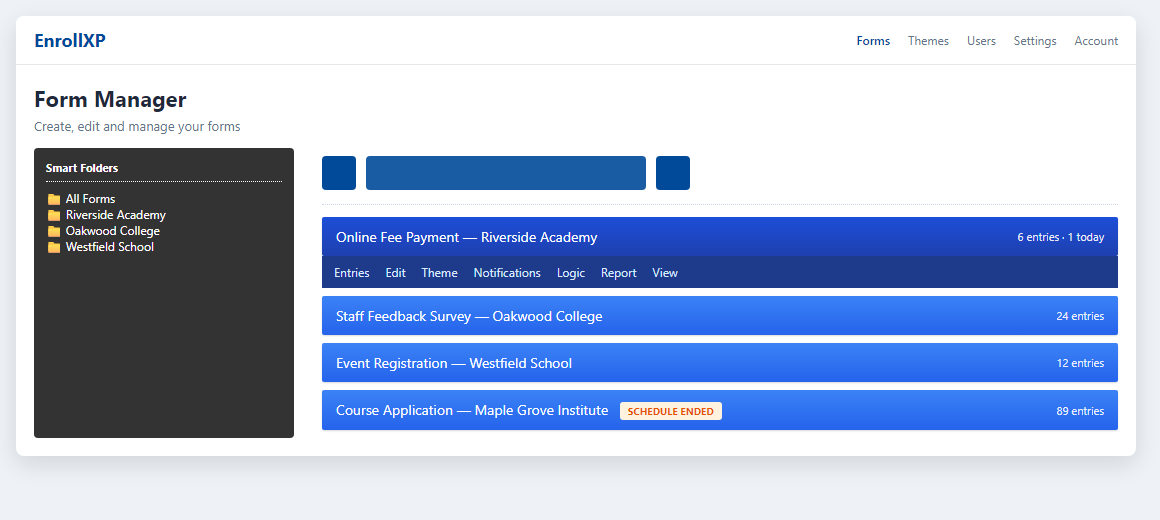
Form Manager — Riverside Academy
248Entries today
36Active forms
12Pending approval
  • Fee payment form — 6 new entries
  • Staff feedback survey — approved
  • Course application — schedule ended
New in version 8

What's new in EnrollXP

Launch forms faster, understand respondent behaviour and control exactly when your forms accept submissions.

📈

Form Analytics dashboard

Track views, starters, submissions and drop-offs per form. See field-level friction, a conversion funnel, device mix and UTM traffic sources.

🗂️

Template Gallery

Start from 200+ ready-made templates across 24 categories, duplicate an existing form, or build from scratch — with live preview before you pick.

🎨

Live Theme Applicator

Preview 36 new themes on your actual form across desktop, tablet and mobile, then apply with one click. No guesswork.

🧩

Functional Fields

Insert pre-built field groups from 18 industry categories. Currency, date and number formats follow your region automatically.

🗓️

Availability & scheduling

Open forms always, between dates or exact date-times — then stack rules for weekdays, daily hours, days of the month and daily submission caps.

⚙️

Form Properties hub

One organised Settings window for general details, availability, confirmation, security, submissions and workflow — right from the Form Manager.

🖼️

Image Choice field

Let respondents pick visual options (plans, products, venues). Labels flow through to entries, exports and conditional logic.

🧮

Richer formula engine

Exponents (^), RoundUp, RoundDown, Avg, Pow and Sqrt with nested expressions — calculated live and re-verified on the server.

Why organisations choose EnrollXP

Purpose-built enrollment and forms management — not a generic survey tool with features bolted on.

📝

Suited for every need

Applications, registrations, surveys, feedback, bookings, contact forms and fee collection — one platform builds them all.

☁️

Cloud hosted & responsive

Highly scalable, secure cloud platform. Beautiful mobile-ready forms on any desktop, laptop, tablet or smartphone.

💳

Accept payments online

Collect application fees with credit cards, PayPal, Razorpay and more. Granular event triggers ensure confirmations send only when payment clears.

📊

Analyze results & behaviour

Interactive charts and data grids, a per-form analytics dashboard with drop-off funnels, plus scheduled daily/weekly email digests with CSV exports.

✅

Approval workflows

Route submissions through multi-step review chains. Approve or deny entries with email notifications at every stage.

🔗

Sheets, webhooks & retry

Auto-sync entries to Google Sheets, push data via webhooks with live activity logs and 1-click retry for failed deliveries.

🎨

Smart form designer & math

Live formula calculations (arithmetic, ROUND, AGE), choice slot capacity limits, conditional logic, and dynamic Unique IDs.

🔐

Enterprise SSO & Security

SAML 2.0 & LDAP Single Sign-On, 2-factor Email OTP verification, Recycle Bin deletion protection, and role-based access.

Every stage of enrollment

From form design to final approval — EnrollXP covers the complete forms lifecycle.
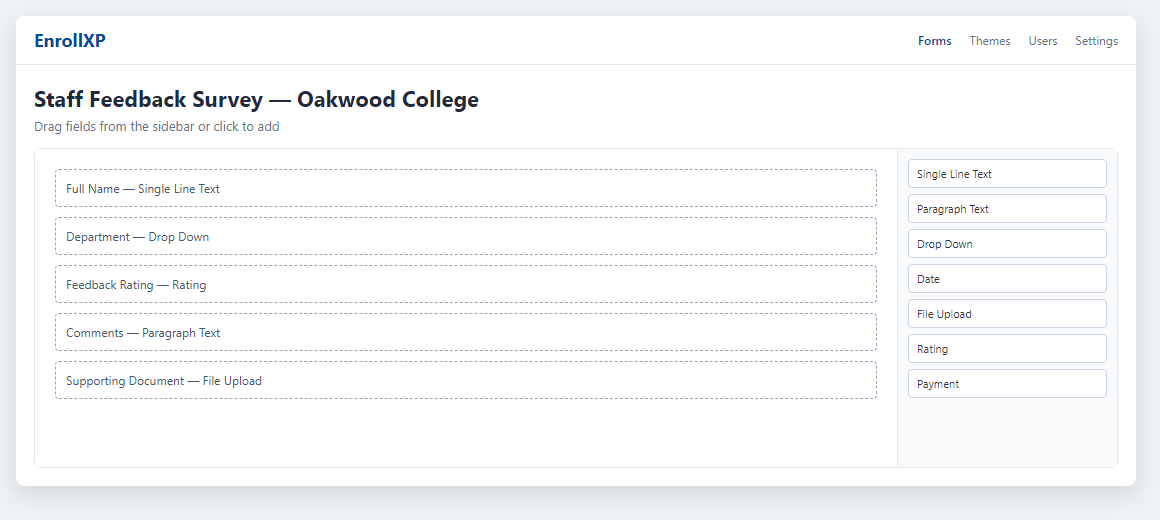
Design customised smart forms

  • Start from 200+ templates in 24 categories, an existing form, or scratch
  • Drag-and-drop Form Builder with 20+ field types, including Image Choice
  • Functional Fields — pre-built field groups from 18 industry categories
  • Dynamic formula fields with live math, exponents and DOB age calculation
  • Unique ID sequential registration numbering with dynamic date tokens
  • Choice option limits (seat & slot capacity per choice)
  • Email OTP 2-factor respondent verification
  • Specialized Consent checkbox with formatted HTML policy terms
  • Conditional logic, validation rules and multi-page layouts
  • Live Theme Applicator with 36 themes and device previews
EnrollXP Form Builder

Publish on your website or share anywhere

  • Direct form links and clean public URLs
  • Instant QR codes for posters, circulars and mobile scan-and-apply
  • Embed codes and popup widgets for your website
  • Availability rules — between dates/times, weekdays, daily hours, days of month
  • Daily submission caps and custom "form closed" messages
  • Smart Folders to organise forms by department or programme
  • Trash & Recycle Bin with 1-click restore for deleted forms
  • Context-sensitive Online Help (F1 toggle) for instant guidance
EnrollXP Form Manager

Collect submissions from any device

  • Responsive forms on desktop, tablet and mobile
  • Opt-in Form Analytics — views, starters, drop-offs and field friction
  • Scheduled email digests (daily/weekly submission summaries with CSV export)
  • Webhook Activity Log with payload inspection and 1-click retry
  • Granular notification triggers — dispatch on submit or hold until payment clears
  • Save & resume for long multi-page applications
  • Auto-notification emails to admins and applicants
  • Accept payments via Razorpay, Stripe, PayPal and more
  • Google Sheets and Calendar integrations
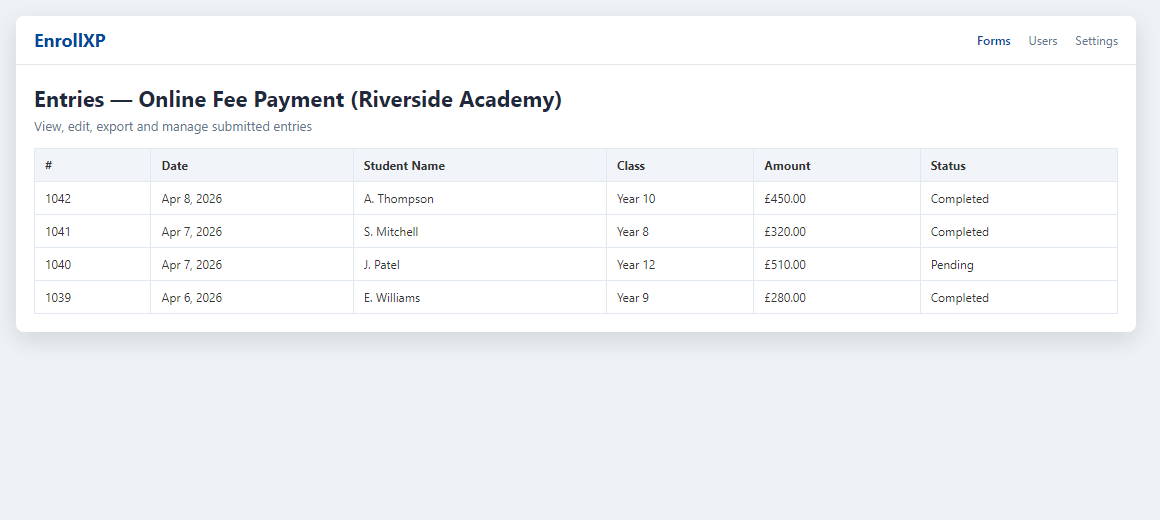
EnrollXP Entries Manager

A clear path from apply to approval

Every submission follows a structured workflow your team and respondents can rely on.

1
Design
2
Publish
3
Collect
4
Analyze
5
Approve
Click a step above to explore each stage of the enrollment workflow.

Salient features

Purpose-built for academic institutes and business — go paperless and process applications 10× faster than manual workflows.

Peak-season ready

Manage huge application volumes during every peak admission season — take your admission process online with scalable cloud architecture.

Validated smart forms

Reduce data input inaccuracies, omissions and errors to almost nil using data-validated and logic-driven application forms.

Review & shortlisting tools

Avoid laborious manual review at the admission office with easy-to-use data review, filtering and shortlisting tools.

90% overhead reduction

Process applications 10× faster than manual methods. Cut admission-related costs and eliminate printing, handling and postage.

Friction-free enrollment

Transparent enrollment for both applicants and admission officers — automated notifications and status updates throughout.

Go paperless

Efficient online collection and analysis for all kinds of forms — interactions with students, staff and external parties.

Export & reporting

Analyse, sort, filter and short-list data. Export to CSV, PDF and Excel. Create management summary reports and graphs.

Enterprise security

SSL/PCI compliance, two-factor authentication, DoS/DDoS protection and role-based access control built in.

Audit log & change history

Administrators get a searchable system-wide audit log — plus per-form, per-theme and per-user change logs showing who changed what, and when, with timezone-aware timestamps and IP tracking.

Data sovereignty

Host applicant and application data on in-country servers to meet data residency and sovereignty requirements — keeping sensitive enrollment data within your jurisdiction while retaining full platform capabilities.

Three experiences, one platform

Purpose-built tools for administrators, respondents and reviewers.

Admin office

Form Manager dashboard

  • Central form list with entries, edit, theme and report links
  • Template Gallery and one-click Form Properties & Settings
  • Per-form analytics dashboard with conversion funnel
  • Trash & Recycle Bin with 1-click restore & permanent purge
  • Scheduled email digests and webhook delivery logs with retry
  • Role-based user permissions per form and SAML/LDAP SSO
  • Context-sensitive Online Help (F1) for instant assistance
  • System-wide audit log with filters and auto-refresh
  • Per-form, theme and user change logs in context
Respondents

Public form experience

  • Branded, mobile-responsive form pages
  • Real-time formula calculations (arithmetic, ROUND, AGE)
  • Visual Image Choice options and region-aware date & currency formats
  • Choice slot limits with seat capacity caps
  • 2-Factor Email OTP verification
  • Consent checkbox with formatted policy agreement terms
  • File uploads and online payment gateways
  • Confirmation emails with entry details
Reviewers

Entries & approval tools

  • Entries grid with filters and bulk actions
  • Visual reports with charts and data grids
  • Form analytics with field-level friction insights
  • Scheduled email digest summaries with CSV export
  • Webhook activity inspection & 1-click retry
  • Multi-step approval workflows
  • Export to Excel, CSV and PDF

Built for security and compliance

Your enrollment data deserves enterprise-grade protection. EnrollXP is designed with security at every layer.
  • Single Sign-On (SSO) & LDAP — enterprise SAML 2.0 (Microsoft Entra ID, Okta, Google Workspace) and Active Directory LDAP with Just-In-Time provisioning and exclusive SSO mode.
  • Respondent Email OTP verification — verify applicant email addresses using 6-digit one-time passcodes before submission to eliminate typos and invalid entries.
  • Recycle Bin protection — soft-deleted forms are kept safely in Trash with 1-click restoration, preventing accidental data loss.
  • Role-based access control (RBAC) — granular permissions for admins, form editors and report viewers.
  • Audit log & change history — system-wide audit trail plus per-form, per-theme and per-user change logs with timezone-aware timestamps (admin-only).
  • Two-factor authentication — optional TSV for admin accounts.
  • Data encryption — encrypt sensitive field data at rest.
  • IP restriction — limit admin panel access by IP whitelist.
  • SSL / PCI compliance — secure connections and payment gateway support.
SSOSAML 2.0 & LDAP OTPEmail 2-factor RBACRole-based access 2FATwo-step verification SSLEncrypted transit CAPTCHABot protection
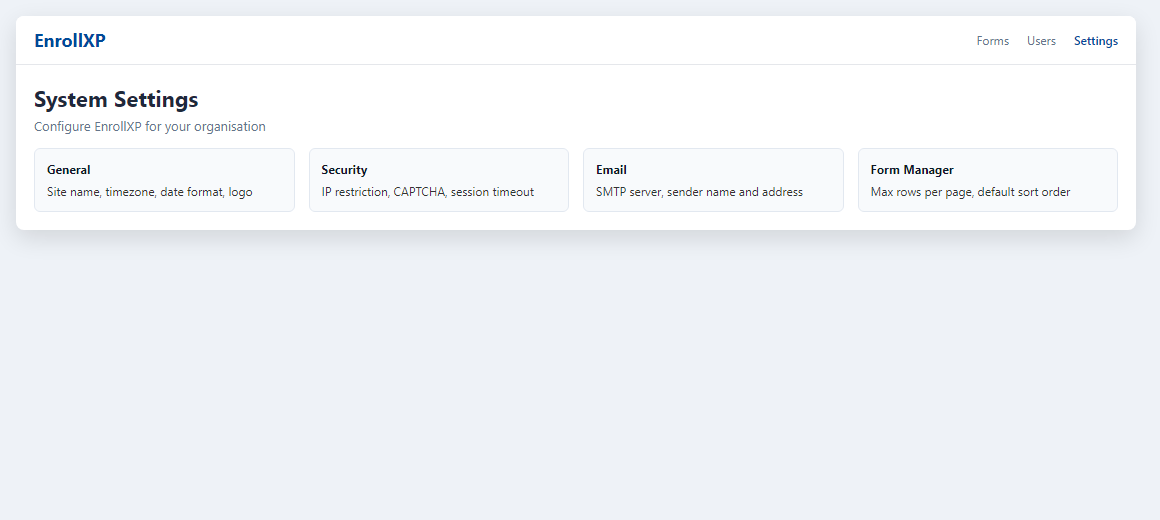
EnrollXP security settings

Ready to go paperless?

Talk to our team about how EnrollXP can fit your institution's enrollment and forms workflows.